

7 Ways to Buy Compatible Toner Cartridges Online in 2026
| Editorial Team
Last Updated: November 5, 2026
Quick Summary
The fastest way to cut printing costs is to buy compatible toner cartridges that exactly match your printer model and cartridge number. Compare cost per page using rated yield, not sticker price, before checking out.
- Match both the printer model and the full cartridge number, since one digit can cause a fit failure.
- Divide the cartridge price by its rated page yield to compare true cost per page.
- The $49.99 HP CE250X at 10,500 pages works out to about 0.48 cents per page.
- The $19.99 Samsung MLT-D111S at 1,000 pages costs about 2.00 cents per page.
- Check the return policy and guarantee before installing, in case a firmware update blocks the cartridge.
Table of Contents
- What Changed in Compatible Toner Buying for 2026
- How to Choose Compatible Toner Cartridges for Your Printer
- Our Picks: 7 Compatible Toner Cartridges Compared
- Price Per Page and Real Yield Comparison
- Toner Cartridge Replacement: Installation, Firmware and Printer Errors
- Finding Discount Toner Cartridges Without Cutting Quality
- Canon Compatible Toner Cartridges: Models and Fit
- Place Your Next Toner Order With the Right Model Number
- Frequently Asked Questions
If you print regularly, the quickest way to cut costs is often the cartridge you buy, not the printer you own. Compatible toner cartridges can cost well below original manufacturer (OEM) supplies, and the right choice depends on matching your exact printer model and cartridge number. This guide from House Of Toner walks through how to buy compatible toner cartridges online in 2026 without sacrificing print quality.
Below, we cover how to confirm compatibility, how to compare compatible, OEM and remanufactured options, and which products from our catalog suit common printers. We also explain how to read yield and cost per page, and where discount offers can go wrong. Where we make a recommendation, we say why.
What Changed in Compatible Toner Buying for 2026
Buyers now have more choice than ever, and more ways to get it wrong. Shoppers compare listings across many sellers, and the cheapest headline price is rarely the lowest cost over the life of the cartridge. FTC guidance on consumer printer supplies and shopping choices
Three shifts matter most. First, buyers increasingly check cost per page rather than sticker price. Second, more people order online for home offices and small teams, so reliable shipping and clear return policies carry more weight. Third, printer firmware changes can affect whether a cartridge is recognized, which makes model-specific checks more important than ever.
How to Choose Compatible Toner Cartridges for Your Printer
Start with the printer, not the cartridge. Find the exact model name on the printer and the cartridge number printed on your current or old cartridge. A cartridge that fits one model in a product family may not fit its close cousin.
Then decide which quality tier fits your use. Compatible cartridges suit most everyday documents.
Checking Printer Model and Cartridge Number
Look for the model number on the printer's front panel or back label, and check the cartridge's own label for its number. Match both against the product listing before you buy. Our product pages state the printers each cartridge is compatible with, so compare that list against your printer's model rather than the printer family name alone.
Watch out: a cartridge with the right color and yield can still fail if the cartridge number differs by one digit or suffix. Confirm the full number.
Compatible vs OEM vs Remanufactured
Compatible cartridges are newly manufactured to fit a given printer. OEM cartridges come from the printer maker. Remanufactured cartridges are used shells that have been cleaned, refilled and tested.
For a high-volume office, buy from a seller that states its yield and guarantee clearly.
Our Picks: 7 Compatible Toner Cartridges Compared
Here are seven House Of Toner cartridges across common printer families. Each entry lists the price shown in the catalog, and you can open the listing for full compatibility details.
Quick picks:
- Best value multi-color set: Compatible Kyocera TK592 4-pack, $115.99, covers black, cyan, magenta and yellow.
- Best low-cost black: Compatible Samsung MLT-D111S, $19.99, rated for up to 1,000 pages.
- Best high-yield black for HP: Compatible HP CE250X, $49.99, rated for up to 10,500 pages.
| Cartridge | Printer Family | Yield (per listing) | Price (USD) | Best For |
|---|---|---|---|---|
| Kyocera TK592 4-Pack | Kyocera FS-C series | Up to 7,000 pages each | $115.99 | Color office sets |
| Kyocera TK592K | Kyocera FS-C series | Up to 7,000 pages | $32.99 | Replacing black only |
| Samsung MLT-D111S | Samsung Xpress and ProXpress | Up to 1,000 pages | $19.99 | Light home printing |
| HP CF320A (652A) | HP LaserJet Enterprise M651 and M680 | 11,500 pages | $65.99 | High-volume black |
| HP CE250X (504X) | HP Color LaserJet CM3530 and CP3525 | Up to 10,500 pages | $49.99 | High-yield black |
| Canon 1559A002AA (FX6) | Canon Laser Class 3170 and 3175 | 5,000 pages | $55.99 | Mid-volume black |
| Canon 3480B005AA (GPR-41) | Canon imageRUNNER LBP3470 and LBP3480 | 6,400 pages (per listing) | $25.99 | Budget Canon black |
Skip if: your printer is not on the compatibility list of the cartridge you are considering. Check the model before ordering.

Note that our Lexmark and Xerox listings also appear in the catalog, so check those listings if you run either brand.
Price Per Page and Real Yield Comparison
Sticker price tells you little on its own, and most buying guides stop at a savings percentage. The more useful number is cost per page: divide the cartridge price by its rated page yield, then compare that figure across the cartridges you are considering.
Using the prices and yields from the comparison table above, here is the same math applied consistently. The Samsung MLT-D111S at $19.99 and 1,000 pages works out to about 2.00 cents per page. The HP CE250X at $49.99 and 10,500 pages works out to roughly 0.48 cents per page. The HP CF320A at $65.99 and 11,500 pages comes to about 0.57 cents per page. The Canon 1559A002AA (FX6) at $55.99 and 5,000 pages is about 1.12 cents per page, while the Canon 3480B005AA (GPR-41) at $25.99 and 6,400 pages is about 0.41 cents per page.
A $19.99 cartridge at 1,000 pages costs more than four times per page than a $49.99 cartridge at 10,500 pages. For anyone printing more than a few dozen pages a week, the higher-yield cartridge usually wins on total spend even though it costs more at checkout.
Compatible Toner Cartridge Replacement for KYOCERA MITA TK592K, TK592M, TK592C →
Rated yield is measured under standardized test conditions, so real results depend on coverage and print density. Heavy graphics, bold headings, and full-page images use more toner than plain text, and a cartridge rated at 10,500 pages under the standard may deliver noticeably fewer pages in a graphics-heavy office. Treat the rated number as a baseline for comparison, not a guarantee, and plan reorders based on your actual monthly volume rather than the box figure. ISO/IEC 19798 standard for measuring toner yield
A second variable is the chip and cartridge recognition. If your printer displays a yield estimate that does not match the listing, check the printer's status page for the actual page count rather than relying on the on-screen percentage.
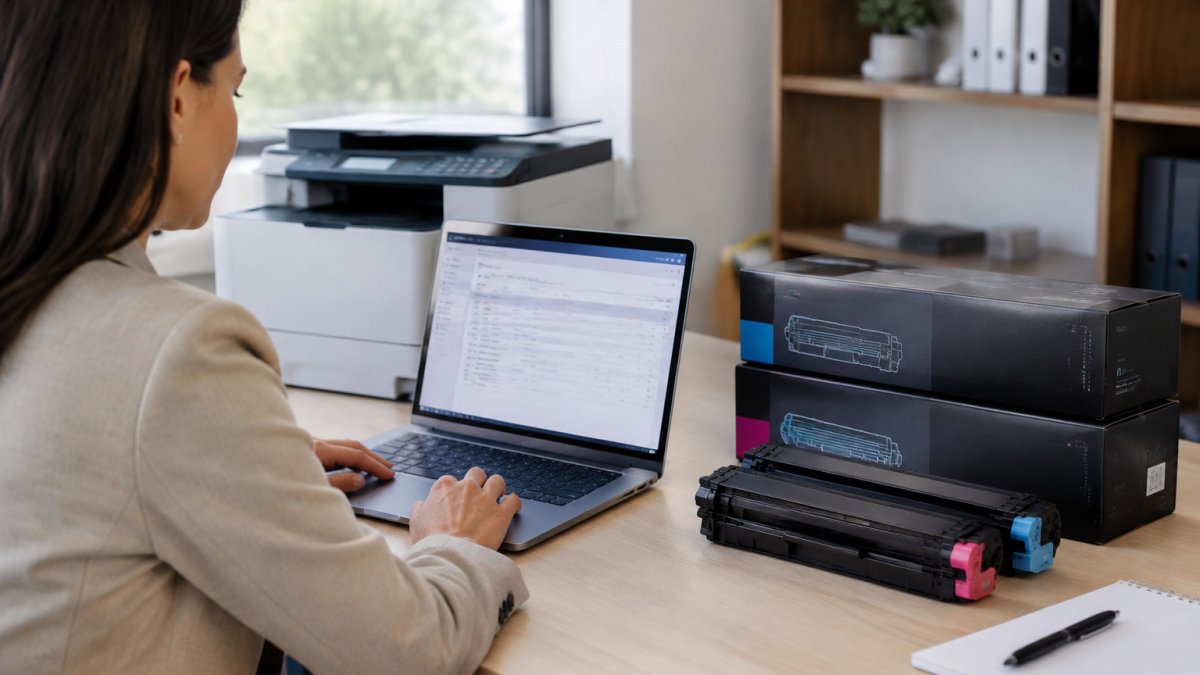
Image placement: an office manager reviews a printer supply order on a laptop beside a laser printer and boxed toner cartridges.
Toner Cartridge Replacement: Installation, Firmware and Printer Errors
Replacing a cartridge is usually simple. Remove any protective tape and seals before closing the door. On most laser printers the cartridge slides along rails, and forcing it is the most common way buyers damage the housing or bend the chip contacts.
Firmware is where problems can start, and this is the part most buying guides skip. Many modern laser printers check the cartridge chip at startup and after each firmware update. When a firmware update changes that list, a compatible cartridge that worked before can suddenly trigger a message such as "supplies not genuine," "unrecognized cartridge," or a low-toner warning that will not clear. The cartridge is not necessarily defective; the printer has simply stopped accepting its chip signature.
A practical troubleshooting sequence helps here. First, confirm the cartridge number against the printer's exact model, not the family name, because a one-digit or suffix difference can cause a recognition failure. Second, reseat the cartridge and check that the chip contacts are clean and free of protective film. Third, check the printer manufacturer's support pages for the current firmware version and any compatibility note for your model. Fourth, if the printer offers a menu option to continue printing with a non-genuine supply, review the manual before using it, since behavior varies by model. Finally, keep your order receipt and check the return terms before you install, because a cartridge that fails recognition after a firmware change may still be returnable if it is unopened or within the seller's window.
If you run a high-volume office, consider turning off automatic firmware updates on critical printers and updating on your own schedule after confirming cartridge compatibility.
For printers that show a persistent error after these steps, the printer's status page or error log usually names the failing component, whether that is the cartridge chip, the imaging unit, or the fuser. Reading that log before calling support saves time and helps you describe the problem accurately when you request a replacement or return.
Finding Discount Toner Cartridges Without Cutting Quality
A cheaper cartridge with a short rated yield can cost more per page than a pricier one with a long yield.
Use three checks. Confirm the cartridge number and printer compatibility. Compare cost per page using the rated yield. Read the guarantee and return policy. A cartridge that is inexpensive, correctly matched and backed by a clear guarantee is a good buy. One that is cheap but unclear on yield or compatibility is not.
Canon Compatible Toner Cartridges: Models and Fit
Canon printers use many cartridge numbers, and small differences matter. Our catalog includes several Canon options. The Canon 1559A002AA (FX6) is listed at 5,000 pages for Laser Class 3170 and 3175 printers at $55.99. The Canon 3480B005AA (GPR-41) is listed at 6,400 pages for imageRUNNER LBP3470 and LBP3480 models at $25.99.
Before ordering, confirm your printer's exact model against the listing's compatibility notes, not just the Canon family name. Our Canon GPR-41 listing and our FX6-series listing show each model's fit, so check them against your printer's label.

Place Your Next Toner Order With the Right Model Number
Before you check out, write down your printer model and cartridge number, then match them exactly to the listing. For multi-printer offices, group orders by cartridge number to get consistent batches and fewer mismatched replacements.
If you run HP-compatible printers, the HP CF320A (652A) remanufactured cartridge is listed for high-volume black printing. Ready to order a Konica Minolta or HP-compatible replacement? Use our Konica Minolta 8938-413 two-pack listing or our HP-compatible CF258X cartridge to confirm the model fit and place your order with the right number.

Frequently Asked Questions
Will a compatible toner cartridge void my printer warranty?
Using a compatible cartridge does not void your printer warranty, according to House Of Toner's product listings, which state that use of their compatible toners does not void the printer warranty. Warranty terms can still differ by manufacturer, so keep your original printer documentation and check the terms that apply to your model. If a printer fault occurs, the cartridge is the first item to inspect and replace, and you can then confirm whether the fault is covered.
How do I know a compatible toner cartridge fits my printer?
Match the printer model number and the cartridge number together before you order. For example, the Kyocera TK592K compatible cartridge lists compatibility with FS-C2026MFP, FS-C2126MFP, FS-C2526MFP, FS-C2626MFP and FS-C5250DN models. Check the printer's manual or the label inside the printer for its exact model, then confirm the cartridge number appears in the compatible list before you buy.
How much does a compatible toner cartridge cost per page?
House Of Toner lists cost-per-page figures on several cartridges. The HP CF320A (652A) black cartridge, with an 11,500-page yield, lists 0.64 cents per page, and the Lexmark C734A1KG lists 0.92 cents per page at an 8,000-page yield. Compare the listed yield with your actual monthly volume, because a cartridge with a higher starting price can still cost less per page than a lower-priced, lower-yield option.
Are discount toner cartridges worth buying for an office?
Discount compatible cartridges can lower supply costs for offices that print steadily, provided the model matches your printer and the yield suits your volume. The Samsung MLT-D111S black cartridge starts at $19.99 with a 1,000-page yield, while the Canon 1559A002AA (FX6) starts at $55.99 with a 5,000-page yield. Procurement teams should compare price per page rather than sticker price alone.
Your next cartridge should be the one that fits your printer model, costs least per page for your volume, and comes with a guarantee you can rely on. Check those three things, then order with confidence from House Of Toner.
